
System Capabilities
What Dovqeluna Provides: Classifying, Reviewing, and Accessing Information
Dovqeluna is built around a focused set of capabilities. Each one contributes to the system's central purpose: making structured information accessible, organised, and reviewable.
Classification Engine
Sorting Information Into Defined Categories
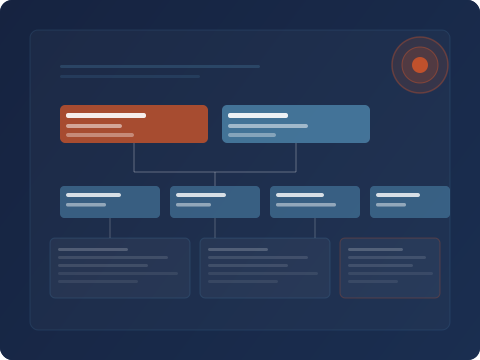
The classification function receives incoming information and assigns each record to one or more defined categories. Categories are established by the system configuration and reflect the attributes most relevant to the type of information being organised.
Users do not need to categorise records themselves. The system handles classification automatically, so that when a user navigates to a category, the records it contains are already organised and ready to review.
Categories can be broad or granular depending on the system configuration. The Dovqeluna support team can explain what classification scheme applies to a given access area.
Review Interface
A Clear Environment for Examining Records
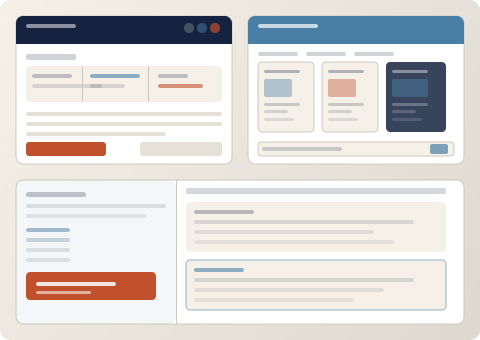
Once information is classified, users interact with it through the Dovqeluna review interface. This interface presents records in a readable, structured format so that users can examine individual items and understand their context within the broader category.
The interface is designed to remain legible even when the number of records in a category is large. Navigation controls allow users to move through records, filter by sub-attribute, and return to the category overview at any point.
The review interface does not interpret or summarise records. It presents them as organised and gives the user the tools to examine them directly.
Filtering and Navigation
Narrowing Large Collections Without Losing Structure
Within any category, users can apply filters to reduce the visible set of records to those matching a specific sub-attribute. Filtering does not alter the underlying classification — it narrows the displayed records while preserving the category context.
Navigation within the system is designed to be consistent and predictable. Users can move between categories, apply or remove filters, and examine records at different levels of detail without losing track of where they are within the broader information structure.
For users who regularly work within the same category, the system's navigation conventions become familiar quickly, reducing the time spent locating relevant records.
Additional Functions
Supporting Capabilities Within the System
Beyond the core classification and review functions, Dovqeluna includes several supporting capabilities that contribute to a complete information-review environment.
Structured Record Display
Each record is presented with its attributes clearly labelled so users can interpret its content without prior knowledge of the underlying data structure.
Attribute-Based Search
Users can search across a category's records using one or more attribute values, surfacing matching items quickly within the organised collection.
Access Zone Management
Different users may be granted access to different categories within the system. The support team manages which zones are available to each approved user.
Multi-Level Information Layers
The system supports information organised at different levels of depth. Users can examine a category at a summary level or navigate deeper into sub-categories where these are configured.
Category Overview Panels
Each category includes an overview panel summarising the number of records it contains and the primary attributes used for classification within that category.
Support Team Assistance
Users can contact the Dovqeluna support team via the enquiry form. The team can answer questions about the system's capabilities, available categories, and the access review process.
Getting Started
How Access to the System Works
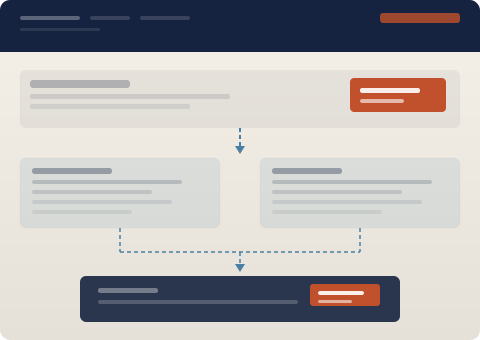
Access to Dovqeluna is managed through a straightforward review process. The steps below describe what to expect.
-
Complete the Enquiry Form
Submit the form on the Contact page with your name, email address, the type of access you are requesting, and a brief description of your intended use of the system.
-
Initial Review by the Support Team
A member of the Dovqeluna team will review your enquiry. They may respond with follow-up questions to understand your access requirements more precisely.
-
Access Confirmation
If your enquiry is approved, the team will provide confirmation and, where applicable, any information you need to navigate the system for the first time.
-
Navigate and Review
Once access is confirmed, you can use the Dovqeluna interface to navigate your assigned categories, apply filters, and review the organised records available to you.
Access approval is at the discretion of the Dovqeluna team. Submitting an enquiry does not constitute a commitment to provide access. The team will communicate outcomes via the email address provided in the form.
Want to see these capabilities in practice?
The Dovqeluna support team can explain how the system's capabilities apply to your specific information-review requirements.